












Audio Baby Monitors: How Sound-Only Monitors Help Parents Sleep Safely
Learn how an audio baby monitor helps you rest without screen glare. See cord safety rules, features to choose, and safe sleep advice for four countries.
On this page
- Key points at a glance
- What an audio baby monitor is and how it works
- How an audio baby monitor helps parents sleep better at night
- What an audio monitor cannot do: safe sleep comes first
- Audio monitor vs video monitor vs Wi-Fi smart monitor
- Features to look for when choosing an audio baby monitor
- Critical safety hazards with baby monitors and how to prevent them
- Safety standards and official guidance across Australia, the UK, the …
- How to set up your audio monitor step by step
- Using an audio monitor by age stage
- Common mistakes parents make with audio monitors
- Frequently asked questions
- Sources
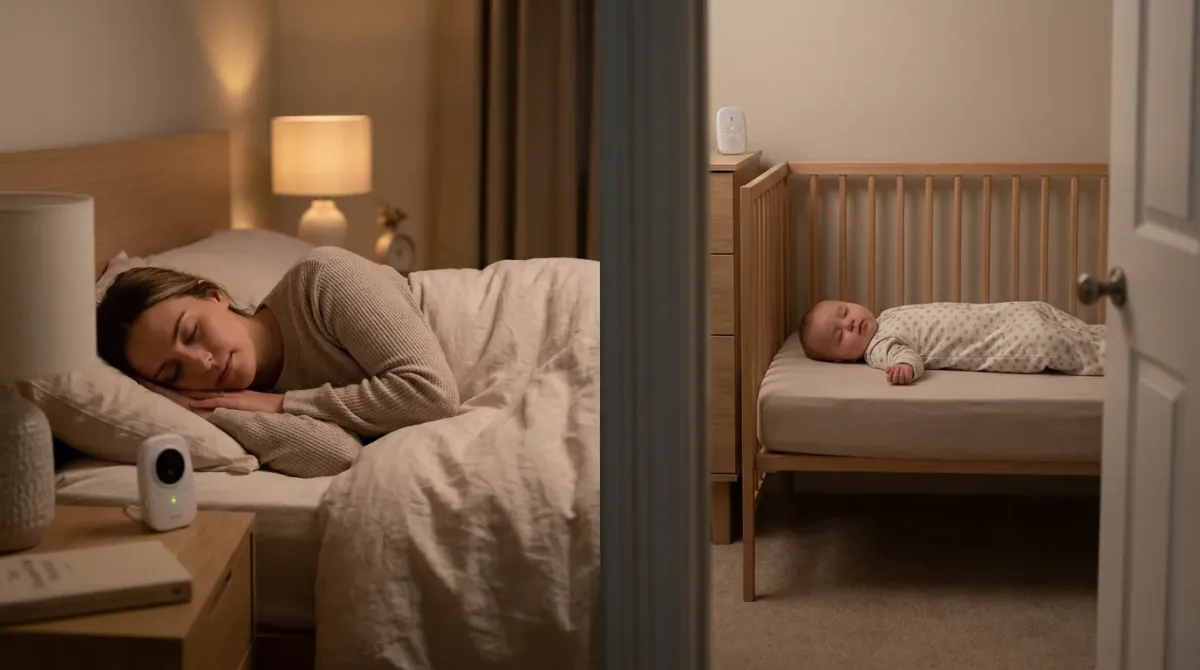
Short answer: An audio baby monitor lets you hear your baby from another room. It has a baby unit with a microphone and a parent unit with a speaker. Because there is no video screen, it does not light up your bedroom at night. It also stops you from staring at a screen when you should be sleeping. Keep the monitor and its cord at least one metre (three feet) away from the cot. Remember that a monitor only lets you hear your baby. It does not stop sudden infant death and it does not replace safe sleep rules.
This safety advice is the same in Australia (Red Nose and Product Safety Australia), the UK (The Lullaby Trust and the NHS), the US (the American Academy of Pediatrics and the Consumer Product Safety Commission) and Canada (Health Canada and the Canadian Paediatric Society).
Key points at a glance
- What it does: It carries sound from your baby's room to your room in real time.
- Why parents like it: There is no bright screen to wake you up. You only wake when your baby makes a real sound.
- Cord danger: Keep all cords and units at least one metre (three feet) from the cot, bassinet, or playpen. Babies can strangle on loose cords.
- Safe sleep first: A monitor is a listening tool, not a safety net. Always put your baby on their back in a clear, flat cot.
- Room sharing: Health groups in Australia, the UK, the US, and Canada say babies should sleep in your room for at least the first six months. An audio monitor is still useful for daytime naps or when you are in the kitchen.
- Privacy: Most audio monitors use a direct radio link instead of home internet. That means strangers online cannot hack into them.
What an audio baby monitor is and how it works
An audio baby monitor is a simple two-part radio system for your home. One piece stays near your baby's sleep space. This is called the baby unit or transmitter. It has a small microphone inside. The microphone picks up cries, coughs, and rustling sounds.
The second piece stays with you. This is called the parent unit or receiver. It has a speaker, volume buttons, and often a belt clip. When the baby unit hears a noise, it sends a radio signal through the walls of your home. Your parent unit plays that sound right away.
Older audio monitors used basic analogue radio waves. Those old units often picked up static, buzzing, or even a neighbour's cordless phone. Modern audio monitors almost always use digital wireless technology. Digital signals pair the baby unit and parent unit together. This keeps the sound clear and stops your neighbour's monitor from playing through your speaker.
Analogue vs digital audio monitors
You may still see two types of radio signals mentioned when you shop. It helps to know the difference in plain words.
- Digital enhanced cordless radio (often called DECT): This is the standard in most modern audio monitors. It locks your parent unit to your baby unit. The sound is crisp. It rarely gets interference from microwave ovens or Wi-Fi routers.
- Analogue radio: This is older technology found in some very basic units or walkie-talkie style monitors. It can travel well through thick stone walls, but it is not private. Other radio devices nearby can cause static or cross over onto the same channel.
How an audio baby monitor helps parents sleep better at night
New parents lose a lot of sleep. Even when your baby is fast asleep, your brain can stay on high alert. You might lie awake listening for tiny sounds down the hall. You might get out of bed three times an hour just to check if your baby is still settled. Doctors call this state of constant watching hypervigilance. It leaves parents exhausted.
An audio monitor takes away the guesswork. You do not need to strain your ears through closed doors. If your baby cries out for a feed, the speaker right by your pillow will tell you. Until that happens, you can close your eyes and rest.
Why sound-only often beats video for parent sleep
Many parents think a camera monitor will make them feel calmer. For some families, it does. Yet for many tired parents, a video screen makes sleep worse.
First, a video screen glows in the dark. Blue and white light from a screen tells your brain that it is daytime. Even a quick glance at a bright screen at two in the morning can make it hard to fall back asleep.
Second, having a live picture tempts you to watch it like television. Every time your baby twitches, sighs, or turns their head, you see it. Babies are noisy, active sleepers. They grunt, wiggle, and even let out one short cry before falling right back into deep sleep. When you watch a screen, you might rush in too soon and accidentally wake a sleeping baby.
With an audio monitor, your bedroom stays dark. Many audio units also have a sound-activated mode. In this mode, the speaker stays completely silent while your baby sleeps quietly or makes tiny backgrounduffles. It only clicks on when your baby makes a proper cry above a set loudness. That small filter protects your own sleep while still alerting you when your baby truly needs you.
When an audio monitor is most helpful
Even if your newborn sleeps in a bassinet right next to your bed at night, an audio monitor earns its keep during the day and early evening.
- Daytime naps: Your baby may nap in the bedroom while you cook dinner, hang out washing, or shower.
- Early bedtimes: Babies and toddlers go to bed much earlier than adults. A monitor lets you eat dinner or talk in the living room while keeping an ear on the bedroom.
- Homes with loud background noise: If you run a dishwasher, washing machine, or fan, you might not hear a cry through a closed door without a parent unit nearby.
- Two-storey homes or long hallways: Sound drops off quickly around corners and up stairs. A clipped-on parent unit travels with you from room to room.
- Hearing differences: Many audio units have flashing light bars and vibration alerts. These help deaf or hard-of-hearing parents notice cries right away.
Baby Monitors worth a look
Real products from our catalogue. We don't show star ratings or review counts; check the current price, stock and reviews on Amazon before you buy.

VTech BM2220 Digital Audio Baby Monitor
A low-cost sound-only monitor with two-way talk, a room temperature sensor and a night light.
 Reviewed
Nanit Pro Camera
Overhead 1080p Wi-Fi camera that tracks sleep and — with patterned Breathing Wear — breathing motion, without any electronics on the baby.
Read our full review →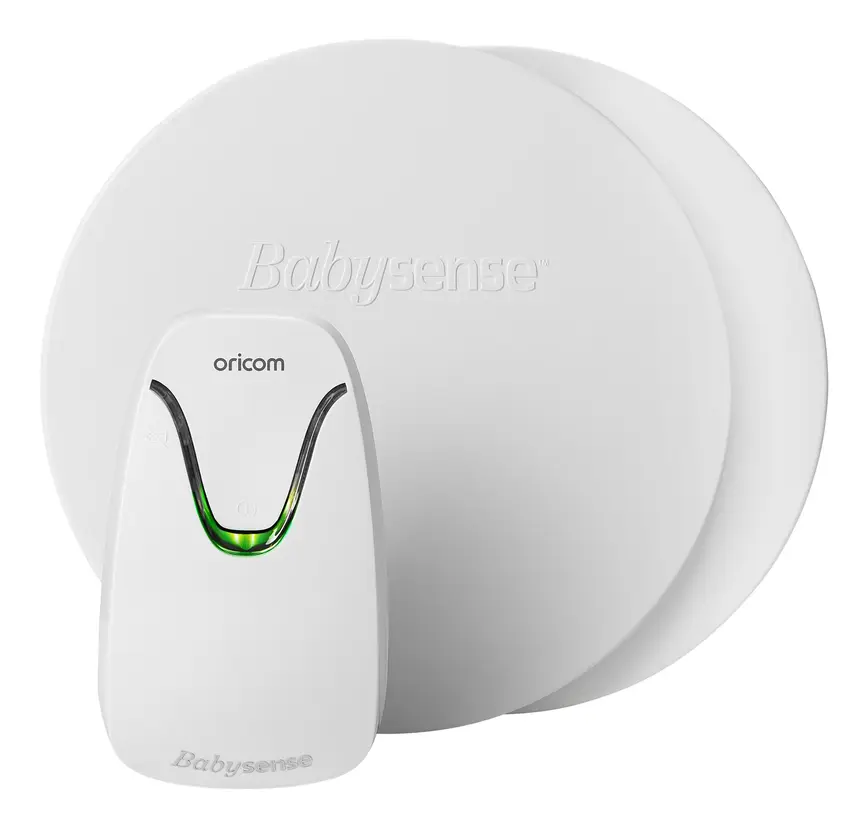
Oricom Babysense7 Breathing & Movement Monitor
A sensor pad listed as a medical device on the Australian Register of Therapeutic Goods. It sounds an alarm if it stops sensing breathing movement.
 Reviewed
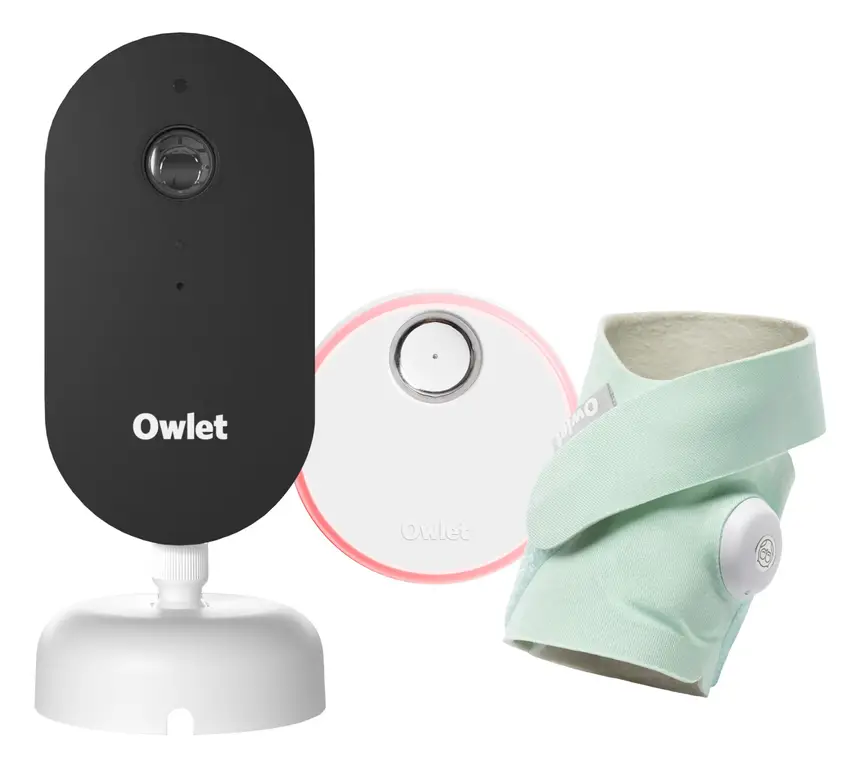
Owlet Dream Duo 3
A 2K camera plus the Dream Sock sensor that tracks pulse rate and oxygen. Like all monitors, it cannot prevent SIDS or SUDI.
Read our full review →What an audio monitor cannot do: safe sleep comes first
Every major child health group in the world gives the same clear warning about baby monitors. A baby monitor is a convenience tool. It does not prevent sudden unexpected death in infancy (SUDI) or sudden infant death syndrome (SIDS).
In Australia, Red Nose states that there is no proof that any home monitor prevents sudden infant death. In the UK, The Lullaby Trust gives the same message. In the US, the American Academy of Pediatrics (AAP) and doctors at the Children's Hospital of Philadelphia advise against relying on home monitors to keep a healthy baby safe. In Canada, Health Canada and the Canadian Paediatric Society agree that safe sleep habits are what protect babies.
Why do experts repeat this so strongly? Because it is easy for tired parents to think a gadget is guarding their baby. A microphone cannot keep a blanket off your baby's face. It cannot turn a baby who has been placed on their tummy onto their back. And tragically, silent breathing problems do not make a loud noise for a microphone to pick up.
The six core safe sleep rules in every country
Whether your monitor is switched on or off, your baby's sleep space must follow these rules every single time they go down for a nap or night sleep:
- Back to sleep: Always place your baby on their back to sleep, never on their tummy or side.
- Clear, flat surface: Use a firm, flat mattress in a safe cot, bassinet, or portable cot that meets national safety standards.
- No loose items: Keep pillows, quilts, doonas, bumpers, soft toys, sheepskins, and positioners out of the cot.
- Smoke-free air: Keep your baby away from tobacco smoke and vaping before birth and after birth.
- Safe temperature: Dress your baby for the room temperature so they do not get too hot. Never cover their head or face with hats, hoods, or blankets.
- Room sharing: Sleep your baby in their own safe cot or bassinet in the same room as you for at least the first six months (and ideally the first year).
Audio monitor vs video monitor vs Wi-Fi smart monitor
Before you buy, it helps to compare the three main kinds of monitors sold in shops today. Each type has clear strengths and trade-offs.
| Feature | Audio Monitor (DECT / Digital) | Non-Wi-Fi Video Monitor | Wi-Fi Smart App Monitor |
|---|---|---|---|
| How you check on baby | Sound and light bars on a handheld receiver | Sound and live picture on a handheld screen | Sound and live picture on your smartphone or tablet |
| Night-time screen glare | None (or a tiny dim power light) | Bright screen unless turned off between checks | Phone screen light plus phone notifications |
| Parent unit battery life | Very long (often lasts all night and day) | Medium (screen drains battery in several hours) | Drains your mobile phone battery quickly |
| Range around the house | Works across most houses and back gardens | Good indoors, drops faster through thick walls | Works anywhere you have internet service |
| Works during internet outages? | Yes | Yes | Often no (unless it has a local backup mode) |
| Hacking and privacy risk | Very low (closed local radio signal) | Very low (closed local radio signal) | Higher if passwords or home Wi-Fi are weak |
| Ease of travel | Plug in and go anywhere | Plug in and go anywhere | Hard to connect to hotel or holiday Wi-Fi |
Many families find that a plain audio monitor is all they ever need. Other families use both: they keep an audio monitor for travelling, camping, or grandparent visits, or use an audio unit at night so they are not tempted to stare at a phone screen.
Features to look for when choosing an audio baby monitor
Not all audio monitors are built the same. Some are ultra-simple with just a volume dial. Others pack in extra nursery tools. Here is what each feature actually does in everyday life, and whether you really need it.
1. Sound activation (VOX or eco mode)
This is the single best feature for helping parents sleep. VOX stands for voice-operated exchange. In plain English, it means the speaker stays quiet until your baby makes a sound louder than a chosen level.
Without sound activation, an audio monitor plays a constant soft hiss of room noise all night long. If you have a white noise machine running in the baby's room, a basic monitor will broadcast that humming sound right into your ear all night. A monitor with adjustable sound sensitivity lets you block out the background hum and only hear real cries.
2. Visual sound lights
Look for a row of small LED lights on the parent unit. These light up as your baby's cries get louder. Visual lights are helpful in two big ways:
- If you are vacuuming, cooking with a noisy fan, or talking with friends, you can mute the speaker and still see the lights flash if your baby cries.
- For parents who are deaf or hard of hearing, bright sound lights paired with a vibrating parent unit provide a clear alert day and night.
3. Out-of-range and low-battery warnings
Never buy a monitor that goes silent when it loses connection. If the baby unit gets unplugged, or if you walk too far down the garden, the parent unit must beep to warn you. Without an out-of-range alarm, you could think your baby is sleeping peacefully when the radio link has actually dropped out.
4. Battery backup in the baby unit
Most parent units have rechargeable batteries inside so you can carry them around. However, many baby units only work when plugged into a wall socket. If your home has a power blackout at night, a mains-only baby unit will turn off. Some audio monitors let you put ordinary batteries inside the baby unit as a backup. If the wall power fails, the baby unit switches to battery power automatically.
5. One parent unit or two parent units
Many audio monitors are sold in twin-parent packs. Having two parent units is very handy:
- You can leave one charging by your bed and keep the second one downstairs in the kitchen.
- Two parents can each clip a unit to their belt while doing chores in different parts of the house or yard.
- If you misplace one receiver under a pile of laundry at bedtime, you have a spare ready to go.
6. Two-way talk-back
A talk-back button turns the monitor into a two-way intercom. You press a button on your unit and speak to your child. For tiny newborns, a voice coming out of a plastic box rarely settles them—they usually need you in the room. However, once your child is an older baby or toddler, hearing your calm voice say "I am coming in a moment" or "Time to lie back down" can be very helpful. It is also great for calling out to your partner in the nursery asking them to bring a clean cloth or fresh nappy.
7. Room temperature display
Some audio units have a small sensor on the back of the baby unit that shows the nursery temperature on your parent screen. Keeping a baby's room at a comfortable temperature is important. The Lullaby Trust in the UK suggests a room temperature between 16 and 20 degrees Celsius. Red Nose in Australia focuses on dressing your baby for the room rather than hitting a strict number on a thermostat.
Keep in mind that built-in monitor thermometers are only rough guides. If the baby unit sits near a sunny window, a heater, or a cold brick wall, the reading will be off by several degrees. Always check your baby's actual warmth by feeling their chest or the back of their neck. Their skin should feel warm, not sweaty or cold.
8. Built-in nightlight and lullabies
Many baby units have a soft amber glow on top and can play built-in tunes. A dim warm light is useful for checking on your baby or finding a dummy in the dark without switching on the bright ceiling light. Built-in electronic melodies, however, are often tinny and loud. Remember that any sound played near a baby's ears must be kept very quiet and turned off once the baby is asleep.
Critical safety hazards with baby monitors and how to prevent them
While a monitor sits outside the cot, it still brings real physical hazards into a baby's room if it is placed carelessly. Regulators in Australia (ACCC / Product Safety Australia), the UK (Office for Product Safety and Standards), the US (Consumer Product Safety Commission) and Canada (Health Canada) have all issued warnings or recalls involving baby monitors and nursery cords.
1. Cord strangulation (the one-metre / three-foot rule)
The biggest physical danger of any plugged-in baby monitor is the power cord. The US Consumer Product Safety Commission (CPSC) has documented tragic deaths and near-misses where babies and toddlers pulled monitor cords into their cots and became tangled around the neck.
Young babies grow stronger faster than parents expect. A baby who could not roll last week might roll to the edge of the cot tonight. A baby who starts sitting or pulling to stand can reach through cot bars and grab a dangling wire like a toy. Once a thin cord loops around a child's neck, strangulation can happen silently in minutes—and an audio monitor will not make a sound to warn you.
Follow these strict cord rules from day one:
- Place the baby unit and every centimetre of its power cord at least one metre (three feet) away from all sides of the cot, bassinet, portable cot, or toddler bed.
- Never balance a baby monitor on the top rail or corner post of a cot.
- Never run a monitor cord under a cot mattress or along the floor where a child can reach through the bars.
- Use solid wall cord covers (conduit channels) or secure cable clips to pin the slack wire tightly against the wall or skirting board.
- Check the cord distance again whenever you move the cot or lower the mattress base.
2. Overheating, battery fires, and electrical safety
Parent units—and some cordless baby units—use rechargeable lithium-ion or nickel-metal hydride batteries. Fire and Rescue NSW and product safety regulators warn that lithium-ion batteries can overheat or catch fire if they are damaged, charged with the wrong cable, or buried under bedding.
- Only use the charger that came in the box: Mixing up plugs can push too much electrical current into a small monitor battery.
- Charge on a hard, flat surface: Never leave the parent unit charging under your pillow, inside your bedsheets, or on a soft couch. Batteries get warm while charging and need open air to cool down.
- Check for battery swelling: If the battery door starts bulging, the unit feels hot to touch, or you smell burning plastic, unplug it right away and stop using it.
- Buy units with local electrical certification: Avoid unbranded imports from overseas marketplaces that come with flimsy plug adapters. Use plugs certified for your country's power grid.
3. Button battery hazards
Some small portable monitors or clip-on accessories use coin-sized button batteries. In Australia, all products with button batteries must meet strict mandatory safety standards enforced by the ACCC, including secure battery compartments and warnings. If a child swallows a button battery, it can cause life-threatening internal burns in as little as two hours.
- Check that any battery compartment on your monitor requires a screwdriver or two separate movements to open.
- Never leave spare batteries in a nursery drawer.
- If you ever suspect a child has swallowed a battery, seek emergency medical help immediately.
4. Protecting your baby's hearing
A 2014 study published in the medical journal Pediatrics tested infant sound machines and found that many could play sounds loud enough to harm a baby's developing ears when placed right next to the cot. The same rule applies to the speaker on a baby monitor if it plays lullabies, white noise, or two-way parent talk-back.
- Keep the baby unit at least one to two metres away from your baby's head.
- If your monitor plays lullabies or white noise, set it to the lowest volume that masks outside household clatter.
- Do not leave music or white noise blasting all night long.
Side by side: more baby monitors to compare
Real products from our catalogue. We don't show star ratings or review counts; check the current price, stock and reviews on Amazon before you buy.
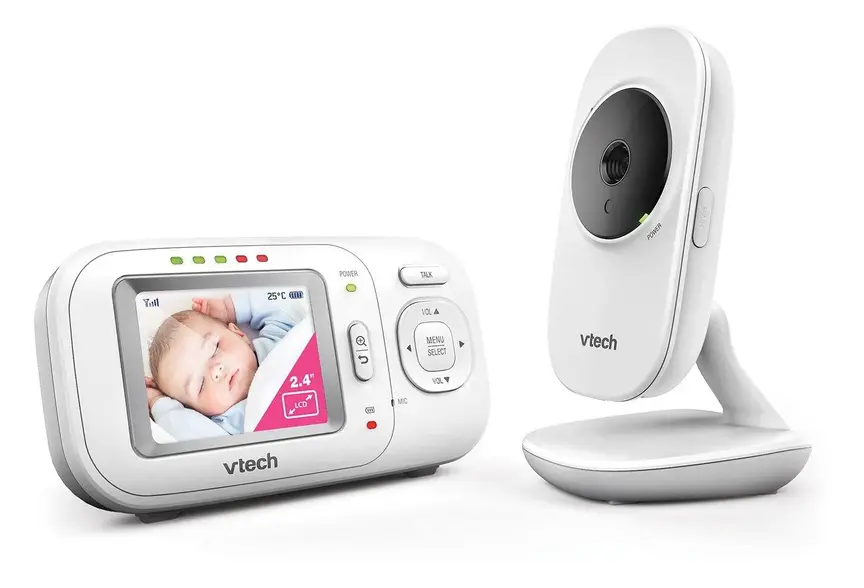
VTech BM2700 Video and Audio Baby Monitor
Non-wifi video monitor

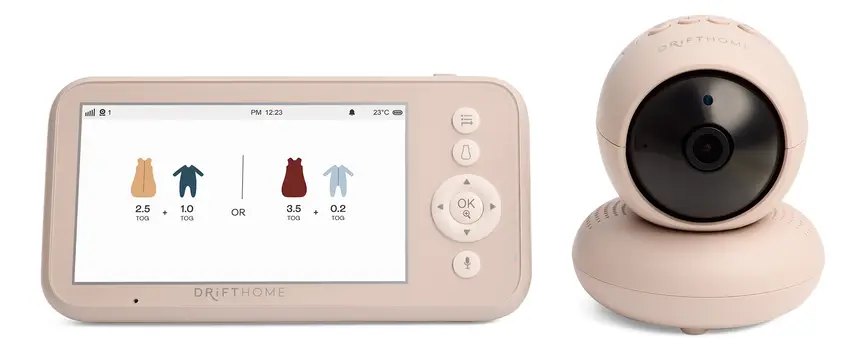
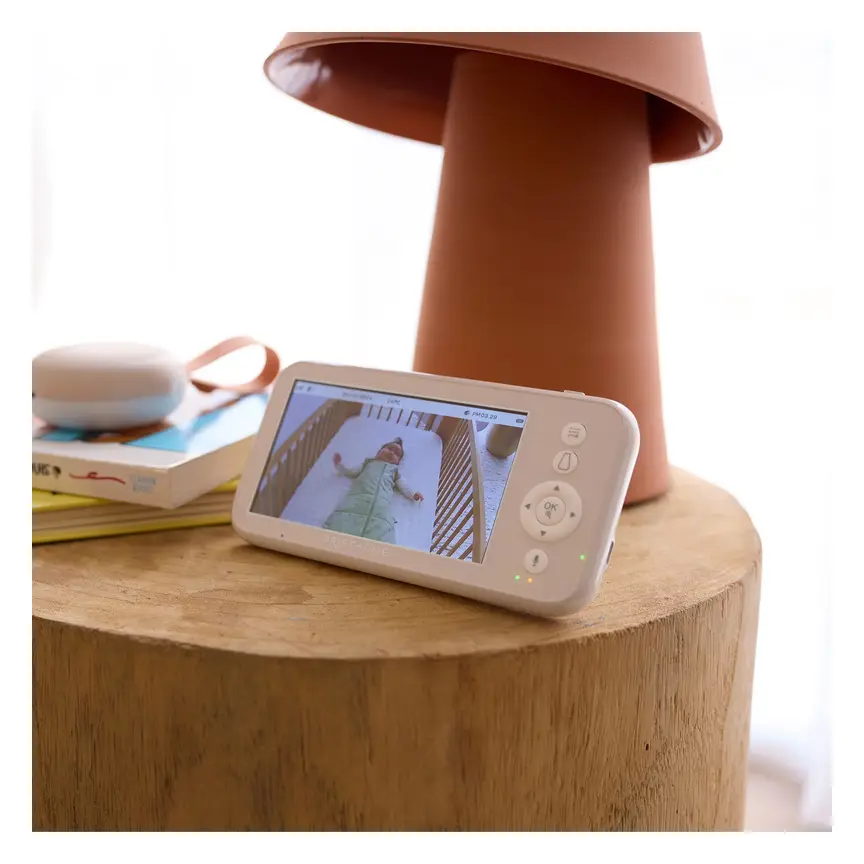
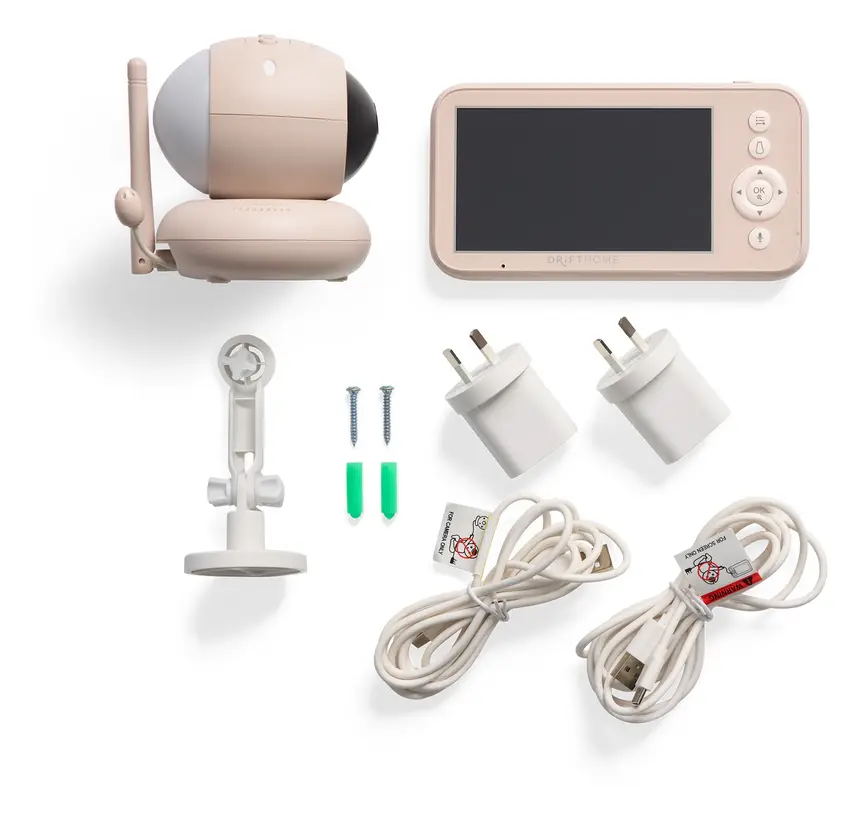
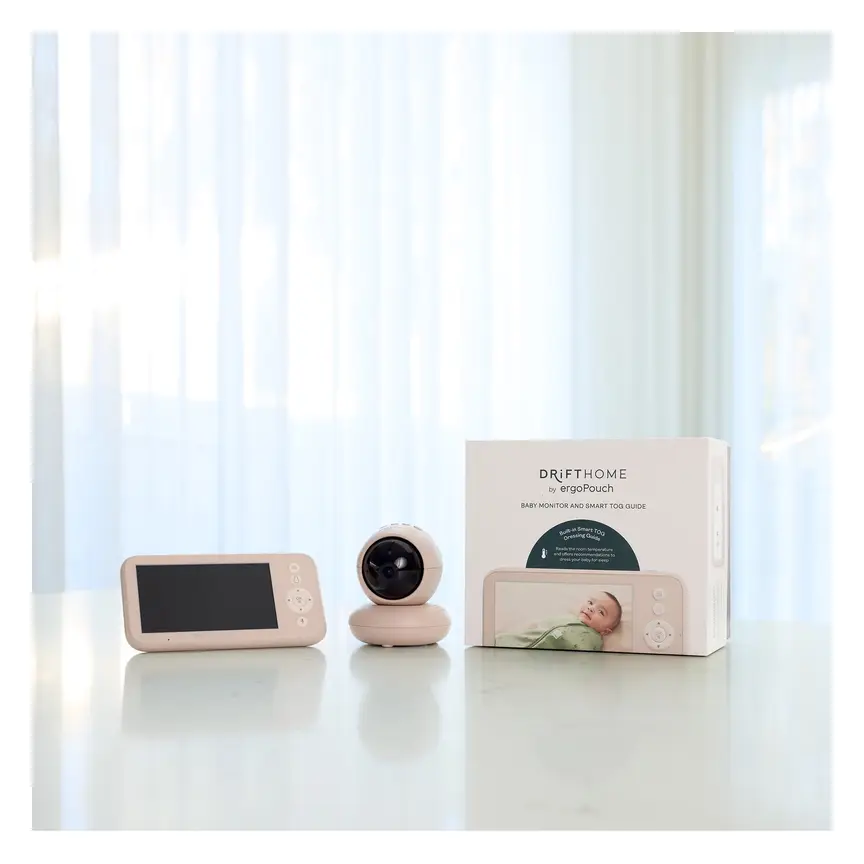
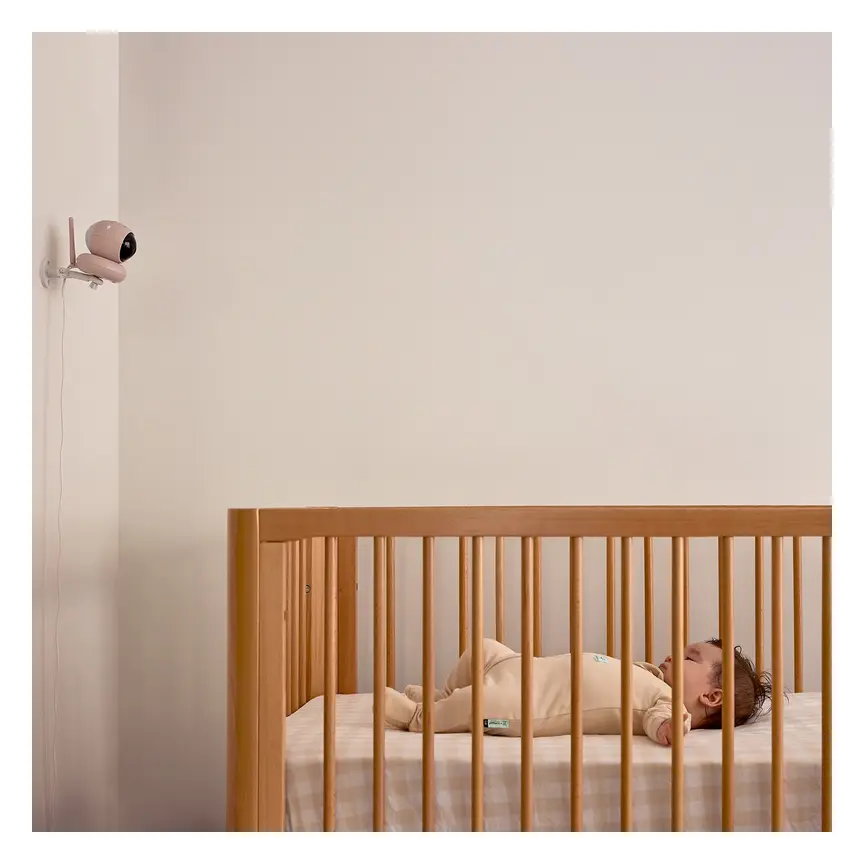
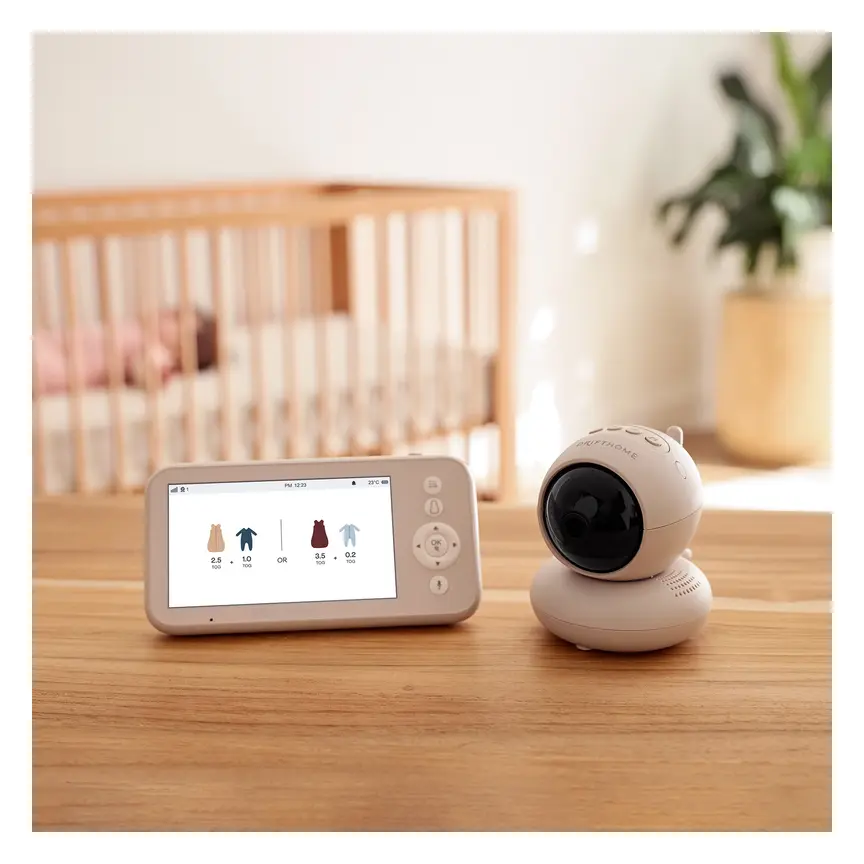
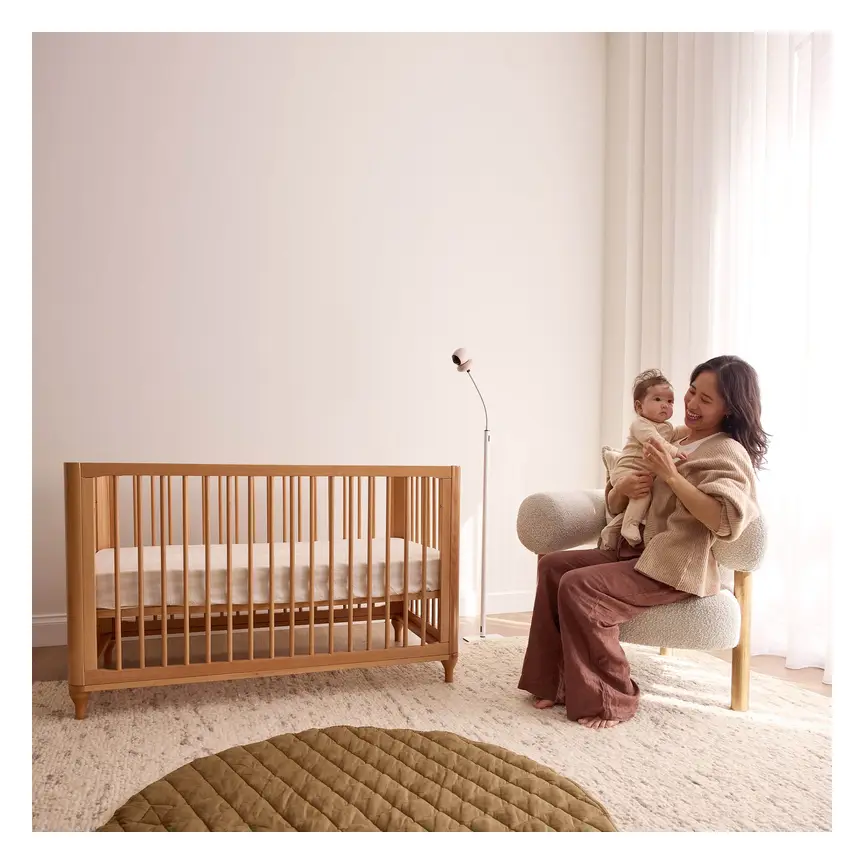
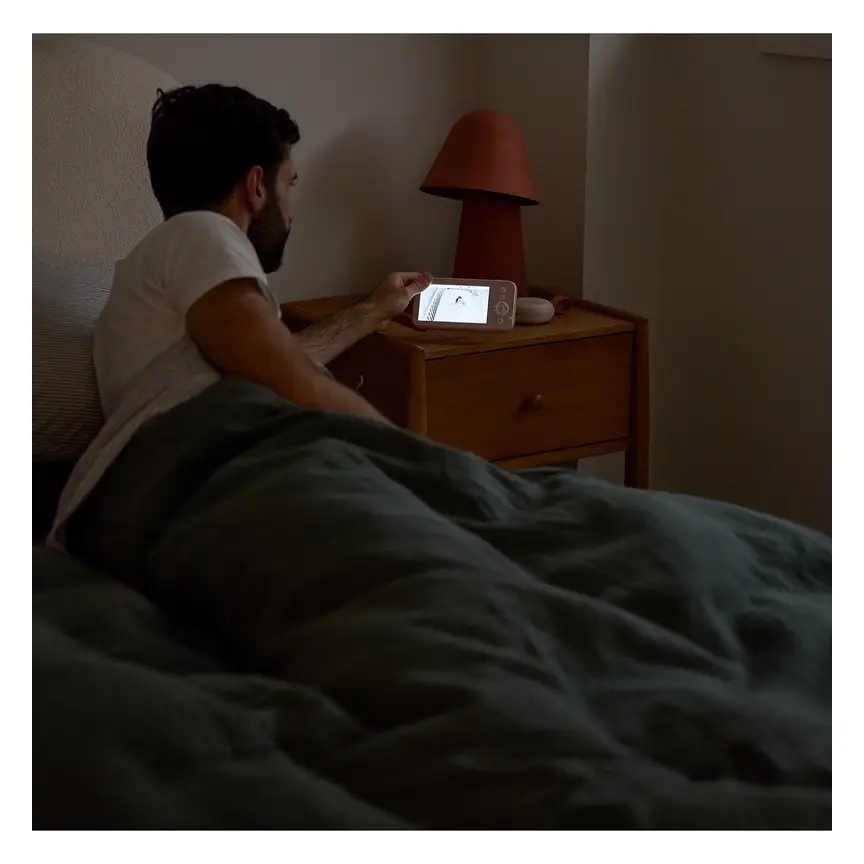
ergoPouch Drifthome Baby Monitor
A non-Wi-Fi monitor with a built-in TOG dressing guide and up to 300 m range.
Read our full review →
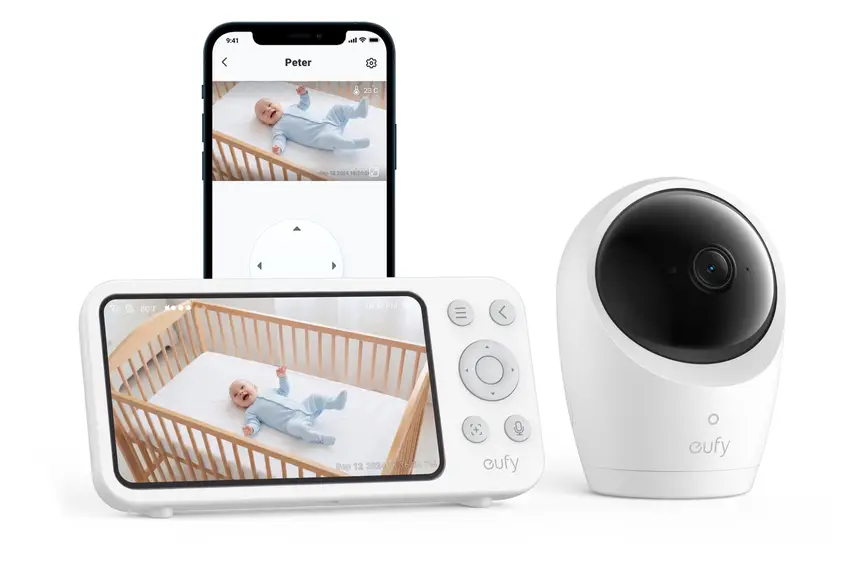
Eufy Baby Monitor E20
A monitor that works with or without Wi-Fi. You can share the app with up to 5 family members.
Read our full review →Safety standards and official guidance across Australia, the UK, the US and Canada
Unlike cots (which must meet standards like AS/NZS 2172 in Australia, BS EN 716 in the UK, or ASTM F1169 in the US), ordinary audio baby monitors do not have a single global safe-sleep standard code. Instead, they are regulated under national electrical safety laws, radio frequency rules, and safe sleep health guidelines. Here is how the four countries handle them side by side:
| Country | Official Bodies | Safe Sleep & Monitor Guidance | Product & Electrical Rules |
|---|---|---|---|
| Australia | Red Nose Australia, Raising Children Network, ACCC (Product Safety Australia) | Red Nose advises that monitors do not prevent SUDI. Room-share for 6–12 months. Keep all cords and appliances out of the cot and out of reach. | Power plugs and wireless radios must carry the Australian Regulatory Compliance Mark (RCM). Mandatory button battery standards apply if coin cells are used. |
| United Kingdom | The Lullaby Trust, NHS, Office for Product Safety and Standards (OPSS) | The Lullaby Trust notes an audio monitor is fine for hearing your baby from another room, but no monitor prevents SIDS. Room-share for the first 6 months. | Must carry UKCA or CE safety marking for electrical and radio safety. Internet-connected monitors must follow UK smart device security rules. |
| United States | American Academy of Pediatrics (AAP), U.S. Consumer Product Safety Commission (CPSC), FCC | AAP says do not rely on home monitors to reduce SIDS risk. CPSC mandates keeping monitors and cords at least 3 feet (1 metre) from the crib. | Radio transmitters must comply with Federal Communications Commission (FCC) rules. CPSC enforces recalls for cord hazards and overheating batteries. |
| Canada | Health Canada, Canadian Paediatric Society (Caring for Kids) | Caring for Kids advises room-sharing for the first 6 months and notes baby monitors do not replace safe sleep practices. Keep cords far from the crib. | Wireless devices must meet Canadian radio standards, and power adapters must carry a recognised electrical safety mark for Canada. |
How to set up your audio monitor step by step
Setting up an audio monitor takes only ten minutes, but doing it carefully prevents false alarms, static, and cord hazards.
- Pick a safe shelf or dresser: Find a flat surface in your baby's room that is at least one metre (three feet) away from the cot. Measure the distance with a tape measure or a big adult stride—do not just guess.
- Secure the power cord: Plug the baby unit into a wall socket away from the cot. Bundle up any extra wire and fasten it flat against the wall with cord clips or a plastic wall cover. Tug on it to make sure a curious toddler could not pull it loose.
- Keep away from other electronics: Do not place the baby unit right next to a Wi-Fi router, cordless phone base, or microwave wall. Leaving a little space prevents buzzing and radio dropouts.
- Point the microphone toward the cot: Face the front of the baby unit toward where your baby sleeps. Make sure curtains, nappy caddies, or soft toys are not blocking the microphone holes.
- Charge the parent unit fully before the first night: Plug the parent unit in during the day so the battery starts at full strength.
- Test the sound and sensitivity with a partner: Have one person stay in the nursery and make soft whimpering sounds, then louder cries, while the other person listens on the parent unit in the bedroom and kitchen. Adjust the sensitivity (VOX) level so it wakes up for a real cry, not for the ceiling fan.
- Test the out-of-range alarm: Walk to the furthest corner of your home or garden with the parent unit. Unplug the baby unit briefly to hear what the lost-connection beep sounds like, so you recognise it at night.
Using an audio monitor by age stage
How you use your monitor changes as your child grows from a newborn into an independent preschooler.
Newborn to 6 months: room sharing and daytime naps
During the first six months, your baby should sleep in their own cot or bassinet in your bedroom at night. You do not need the monitor switched on by your bed while your baby is right beside you. In fact, leaving it on in the same room can cause a loud feedback squeal.
Instead, use the audio monitor when your baby takes daytime naps in the bedroom while you are in the living room, or during the first hours of the evening before you go to bed yourself.
6 to 12 months: moving to the nursery and learning to roll
Many families move their baby into a separate bedroom between six and twelve months. Now the audio monitor becomes your main night-time tool. Set the parent unit on your bedside table with sound activation turned on.
At this age, babies roll, sit up, and pull themselves to stand against the cot rails. Double-check your cord setup. Lower the cot mattress to its lowest position so your baby cannot climb out, and make sure they cannot stretch an arm through the bars to touch the monitor shelf.
1 to 2 years: active toddlers
Toddlers often chatter, sing to themselves, or babble when they wake up early in the morning or during the night. An audio monitor lets you listen for a moment before walking in. If they are just talking happily in their safe cot, you can stay in bed and let them drift back to sleep on their own.
2 to 4 years: moving from a cot to a toddler bed
Once your child moves out of a cot into a low bed, they can walk around their bedroom on their own. This is a critical time to inspect the room from top to bottom. As Red Nose Australia and the US CPSC warn, any loose cord or unanchored dresser becomes a major hazard once a child is free in their room.
- Move the baby unit onto a high shelf well out of a standing child's reach, and cover the entire cord inside a hard plastic wall channel. Or switch to a cordless battery-powered baby unit placed up high.
- Anchor all chests of drawers and bookshelves to the wall studs so they cannot tip over.
- Use the audio monitor to hear if your toddler gets out of bed at night or calls out for help going to the toilet.
Common mistakes parents make with audio monitors
Even careful parents can fall into habits that ruin their sleep or create safety risks. Watch out for these common traps:
- Turning the volume and sensitivity all the way up: If you set the monitor to maximum sensitivity, you will hear every sigh, sheet rustle, and passing car outside the nursery window. You will barely sleep. Set the volume so a real cry wakes you, while tiny sleep grunts stay quiet.
- Putting a white noise machine right next to the baby unit: If a sound machine sits beside the monitor microphone, the monitor will pick up the constant rushing sound and keep the parent unit speaker open all night. Put the white noise machine on the far side of the room, away from both the baby's head and the monitor microphone.
- Balancing the baby unit on the cot rail "just for a nap": Never put a plugged-in monitor on the cot, even for a twenty-minute daytime nap. Habits stick, and babies learn to grab faster than you think.
- Ignoring a weak battery in the parent unit: Rechargeable batteries wear down after a year or two of daily use. If your parent unit starts dying at three in the morning and waking you with low-battery chirps, leave it plugged in on your bedside table at night or replace the rechargeable battery pack with the manufacturer's official spare.
- Thinking a breathing pad or smart sock makes unsafe sleep okay: Some monitors pair with under-mattress movement pads or wearable ankle straps. Studies—including a well-known 2018 study in the Journal of the American Medical Association (JAMA)—have found that consumer monitors can give false alarms or miss real problems. Never use any monitor as an excuse to put a baby to sleep on their tummy, on a soft sofa, or with loose blankets.
More options, from budget to premium
Real products from our catalogue. We don't show star ratings or review counts; check the current price, stock and reviews on Amazon before you buy.

Eufy Baby Monitor E21
The step-up Eufy monitor. It works with or without Wi-Fi and shares with up to 5 people.

Lollipop Smart Baby Camera
A Wi-Fi camera with AI cry, noise and crossing alerts and 1080p video.

Frequently asked questions
Can an audio baby monitor prevent SIDS?
No. Health authorities in Australia (Red Nose), the UK (The Lullaby Trust and NHS), the US (American Academy of Pediatrics) and Canada (Health Canada and the Canadian Paediatric Society) all agree that baby monitors do not prevent SIDS or SUDI. A monitor only lets you hear your baby from another room. The proven way to lower sleep risks is to place your baby on their back on a firm, flat, clear mattress in a smoke-free room.
How far away from the cot should an audio monitor be placed?
Place both the baby unit and the entire length of its power cord at least one metre (three feet) away from every part of the cot, bassinet, or playpen. Fasten any loose cord flat against the wall so your baby can never reach through the bars and pull the wire into their sleep space.
Are DECT digital audio monitors safe to use around babies?
Yes. DECT digital audio monitors use low-power radio waves that meet national communications safety limits in Australia, the UK, the US, and Canada. Because the baby unit sits at least one metre (three feet) away from the cot—and many units use an eco or sound-activated mode that lowers radio transmission when the room is quiet—exposure next to your baby is very low.
Can strangers hack into a standard audio baby monitor?
A standard DECT digital audio monitor does not connect to the internet or your home Wi-Fi network. Instead, the baby unit and parent unit talk directly to each other over a short-range encrypted radio link inside your house. Someone across the world on the internet cannot hack into a non-Wi-Fi audio monitor.
Do I still need an audio monitor if my baby sleeps in my bedroom?
You do not need it turned on while you are sleeping in the exact same room as your baby. However, most parents still use an audio monitor every day during the first six months. It lets you hear your baby during daytime naps or in the evening while you eat dinner, shower, or relax in another room before your own bedtime.
Will an audio monitor pick up my neighbour's baby monitor?
If you buy a modern digital (DECT) audio monitor, cross-talk from a neighbour's house is extremely rare because the receiver and transmitter are digitally paired to each other. Only old-fashioned analogue radio monitors share open channels that can pick up a neighbour's unit or a passing two-way radio.
Sources
- Red Nose Australia – Baby monitors
- The Lullaby Trust (UK) – Baby monitors
- U.S. Consumer Product Safety Commission – Infants and toddlers can strangle in baby monitor cords (Publication 5066)
- Children's Hospital of Philadelphia – Consumer baby monitors have little proven benefit for healthy infants (2017)
- Caring for Kids (Canadian Paediatric Society) – Safe sleep for babies
- American Academy of Pediatrics (US) – A parent's guide to safe sleep
- Fire and Rescue NSW – Lithium-ion batteries: shop, charge and recycle safely
Related guides
More Health & Safety Gear →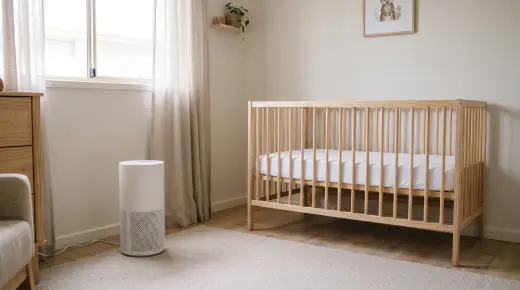
Air Purifiers for New Parents: Do They Help Your Baby Breathe and Sleep Better?
Battery Backup (UPS) for the Nursery: Keeping Baby Monitors, Sound Machines and Nebulisers Running in a Power Cut

Baby Nasal Aspirators: When They Help and How to Use Them Safely
